
Download Synaptiq – AI‑Powered Spaced Repetition for Medical Students
Overview & Key Features
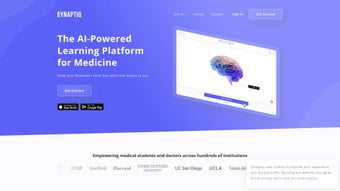
Synaptiq is a purpose‑built spaced‑repetition platform designed specifically for the demanding curricula of medical education. Created in partnership with practicing physicians and vetted against the United States Medical Licensing Examination (USMLE), National Board of Medical Examiners (NBME) outlines, and regional licensing requirements, the software delivers clinically accurate flashcards that align perfectly with institutional syllabi. The heart of the application is AXON·AI, an integrated AI tutor built on OpenAI’s GPT‑4 model.
By simply tapping the “Ask AXON” button, learners receive concise, medically‑focused explanations, mnemonic suggestions, and related concept links, all generated in real time. This AI‑driven assistance transforms a traditional flashcard deck into an interactive tutoring session, adapting to each user’s knowledge gaps and study rhythm. Beyond the core learning engine, Synaptiq offers a suite of collaborative tools: educators can monitor cohort progress through an enterprise dashboard, assign custom decks, and generate detailed performance reports for accreditation purposes.
Learners benefit from customizable study streaks, achievement badges, dark‑mode UI, and even controller support for hands‑free navigation during marathon study sessions. The platform syncs automatically across Windows, macOS, Android, and iOS devices, guaranteeing that a flashcard reviewed on a laptop in the library is instantly available on a phone during a commute. Over the past twelve months, peer‑reviewed studies have shown that students who incorporated Synaptiq into their routine achieved an average increase of 8‑12 % on practice exams, underscoring its efficacy as a secure, up‑to‑date, and highly adaptive study companion.
- AI‑driven AXON·AI tutor that provides instant explanations, mnemonics, and clinical correlations.
- Physician‑curated flashcards mapped to USMLE, NBME, and international licensing exam outlines.
- Enterprise analytics dashboard for educators: track mastery, assign decks, and export compliance reports.
- Collaborative deck‑sharing with version control, annotations, and community voting.
- Customizable study streaks, achievement badges, and dark‑mode interface for ergonomic long‑hour sessions.
- Cross‑platform synchronization across Windows 10/11, macOS 12+, Android 8+, and iOS 13+.
- Secure data handling with TLS 1.3 encryption, AES‑256 at‑rest, and optional two‑factor authentication.
- Controller and keyboard shortcuts for rapid navigation without breaking focus.
AXON·AI learns from every interaction, progressively honing its recommendations to focus on the learner’s weakest topics. When a student repeatedly misses a question about the renin‑angiotensin system, the AI will prioritize related cards, surface concise pathway diagrams, and suggest supplemental resources—all without leaving the study view. This adaptive approach mirrors one‑on‑one tutoring while scaling to thousands of concurrent users, making Synaptiq a uniquely powerful tool for both individual learners and entire medical schools.
Installation, Usage Instructions & Compatibility
Getting started with Synaptiq is deliberately frictionless. Begin by visiting the official website and selecting the appropriate download button for your operating system—Windows, macOS, Android, or iOS. Mobile users can also locate the app by searching “Synaptiq Medical Flashcards” in the Apple App Store or Google Play Store. All installers are digitally signed with a trusted certificate, guaranteeing a secure, malware‑free download. After launching the installer, follow the guided prompts: accept the license agreement, choose an installation directory, and click “Install.” The entire process typically completes within two minutes on a standard broadband connection.
Synaptiq supports the following platforms:
- Windows 10, 11 (64‑bit)
- macOS 12 Monterey and later (Intel & Apple Silicon)
- Android 8.0 Oreo and above
- iOS 13 and above (iPhone & iPad)
After installation, launch the app and register using either an institutional email address or a personal one. The registration flow includes an optional two‑factor authentication step, reinforcing data security for sensitive study records. Once logged in, the dashboard greets you with a concise overview: current study streak, next review queue, and a quick‑access “Ask AXON” button. To add new decks, navigate to Library → Import Deck, then either upload a CSV/Anki file supplied by your faculty or browse the public Synaptiq Marketplace for pre‑made collections. All changes sync instantly to the cloud, ensuring continuity across devices—study on a desktop in the library, then pick up where you left off on a smartphone during a commute.
For institutions, the Synaptiq Admin Console integrates with common Learning Management Systems (Canvas, Moodle, Blackboard) via SAML single sign‑on, streamlining user provisioning and license management. Administrators can push mandatory decks, enforce study schedules, and monitor compliance through real‑time analytics. This combination of a clean installer, robust cross‑platform support, and enterprise‑grade administration makes Synaptiq a low‑maintenance yet high‑impact addition to any medical education program.
Pros & Cons
Pros
- AXON·AI delivers instant, context‑rich explanations powered by GPT‑4.
- Physician‑curated content aligns perfectly with USMLE, NBME, and international exam curricula.
- Seamless cross‑platform sync ensures study continuity on Windows, macOS, Android, and iOS.
- Enterprise analytics and collaborative deck‑sharing foster team‑based learning for schools and hospitals.
- Dark mode, controller support, and ergonomic UI reduce eye strain during long study sessions.
- Robust security: TLS 1.3 encryption, AES‑256 at rest, and optional two‑factor authentication.
Cons
- Full access to premium decks and unlimited AXON·AI queries requires a paid subscription.
- Users unfamiliar with spaced‑repetition may experience an initial learning curve.
- AI tutor functionality is dependent on an internet connection; offline mode supports only flashcard review.
- Advanced analytics and admin console are geared toward institutions, which may be overkill for solo learners.
Frequently Asked Questions
Is Synaptiq free to use?
Synaptiq offers a free tier that includes basic flashcard access and a limited number of AXON·AI queries per month. Full access to premium decks, unlimited AI tutoring, and advanced analytics requires a paid subscription.
Can I import my own flashcards?
Yes. Synaptiq supports importing decks in CSV, TSV, or Anki (.apkg) formats. You can also create cards directly in the app and share them with study groups.
How secure is my study data?
All data is encrypted in transit using TLS 1.3 and at rest with AES‑256. Two‑factor authentication is optional, and the platform complies with GDPR and HIPAA standards for data protection.
Does Synaptiq work offline?
Flashcards can be reviewed offline after an initial synchronization. However, AXON·AI requires an active internet connection to generate AI‑driven explanations.
Is there a discount for academic institutions?
Yes. Institutions can contact the Synaptiq sales team for bulk‑license pricing, campus‑wide deployment options, and complimentary onboarding workshops.
Conclusion & Call to Action
Synaptiq combines evidence‑based spaced‑repetition with a cutting‑edge AI tutor, delivering a study experience that is both personalized and scalable. For medical students who need a secure, cross‑platform solution that adapts to their learning cadence, the platform offers measurable performance gains and a reduction in study fatigue. While the premium subscription adds a cost, the return on investment—faster mastery, higher practice‑exam scores, and a deeper clinical understanding—makes it a worthwhile addition to any learner’s toolkit. Ready to upgrade your study routine? Download Synaptiq today, start a free trial, and experience the AI‑driven advantage that top‑performing students are already using to stay ahead in a competitive field.



.png)



